
Frame 01Features
Built for golfers who want specific fixes
We didn't build this for engineers or AI demos. We built it for someone standing in front of a phone at the range, a simulator, or the course, trying to figure out why their slice is back.
Note 01The actual app
This is what real feedback looks like.
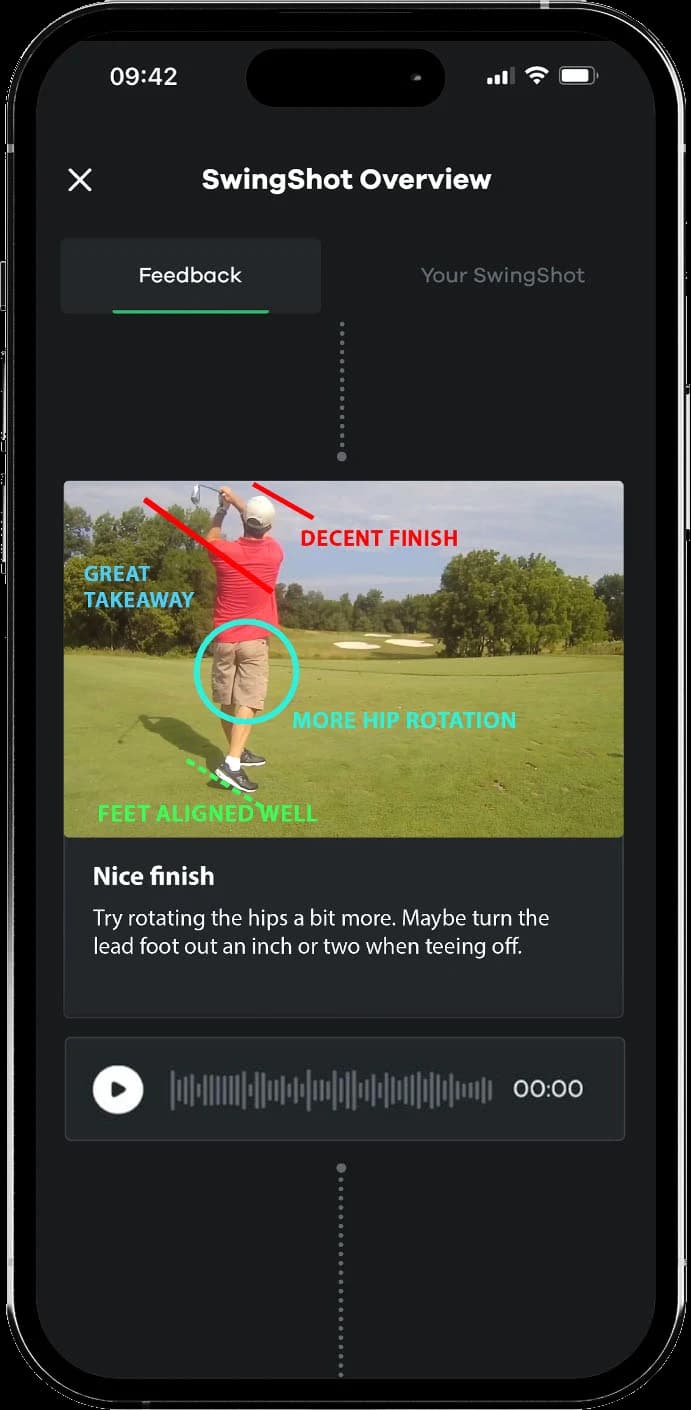
Annotation lines, a voice-over breakdown, and the exact fix to work on, straight from the SwingShot app. No mockups. You film on your own time, with no first-tee audience and no judgment about your handicap.
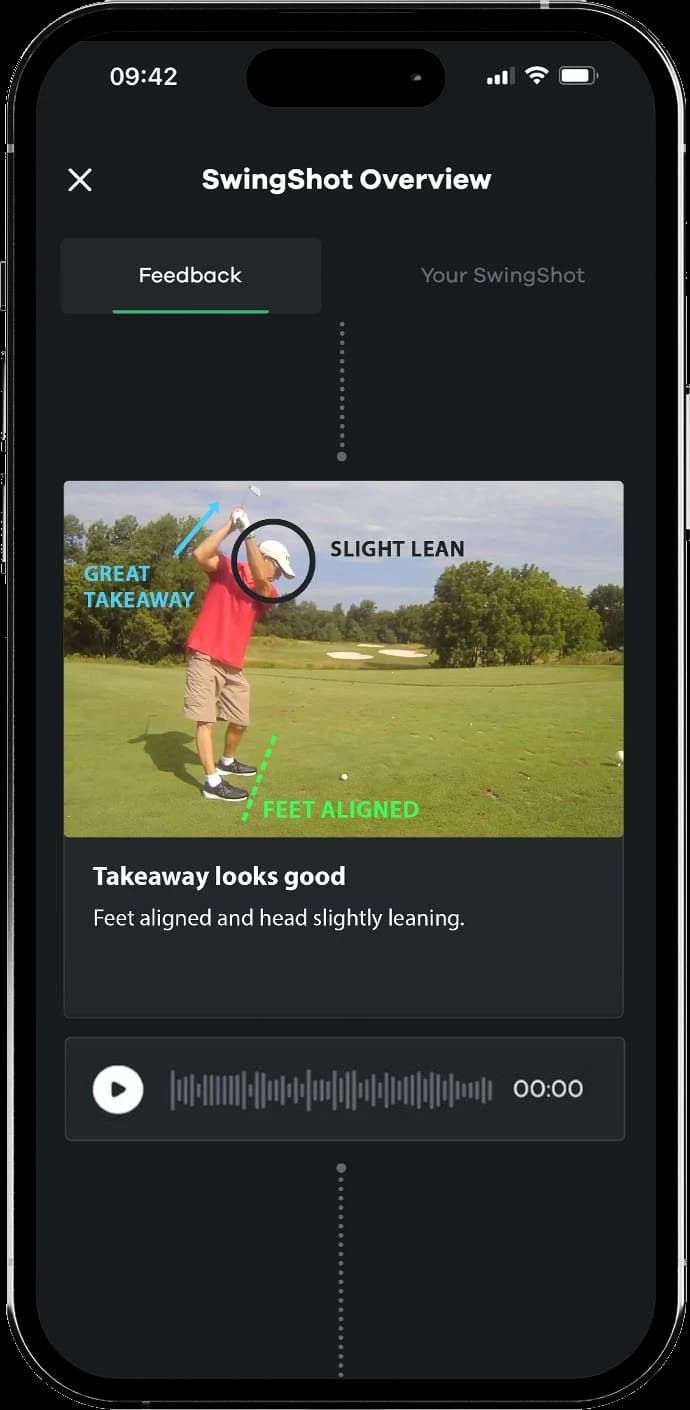
01Annotations on your takeaway, posture, and alignment, with a voice-over breakdown.
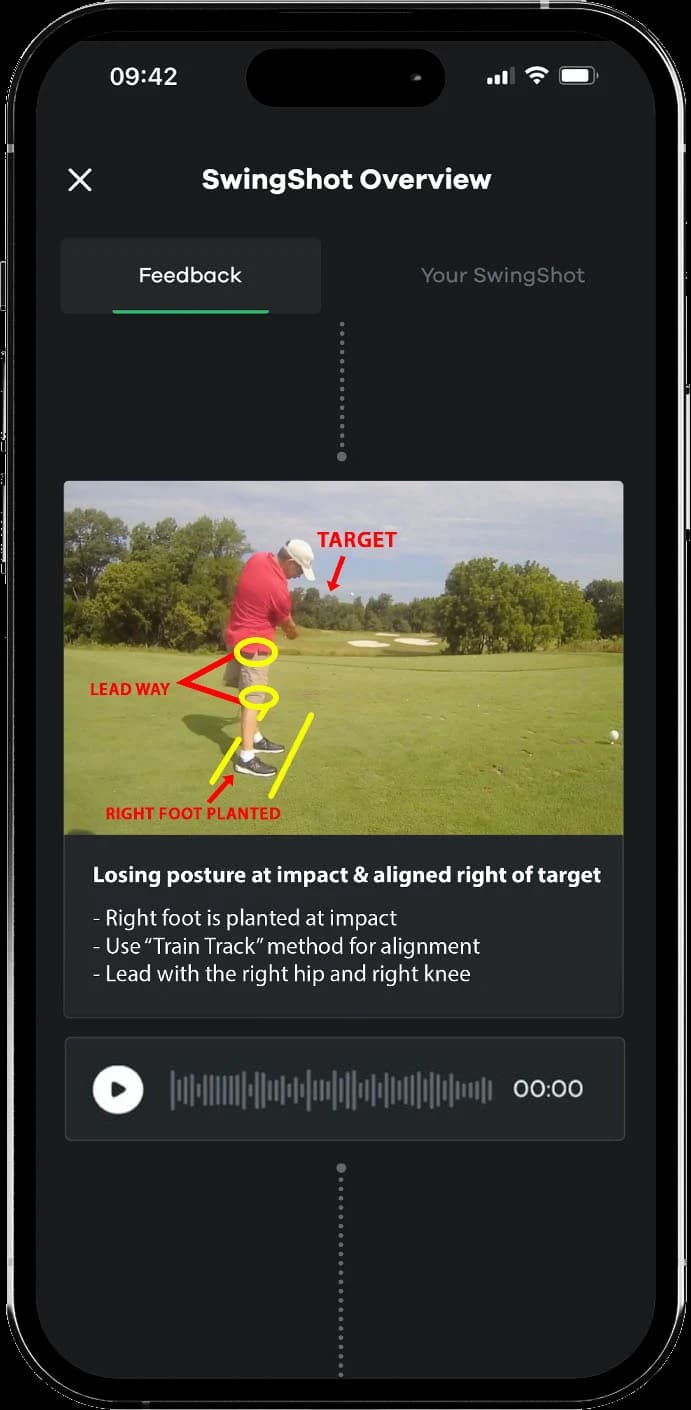
02Specific fixes: posture at impact, alignment, and a drill to take to the range.
03What's working and what to adjust: here, the finish and hip rotation.
A full walkthrough, from recording a swing through to the PGA Instructor's annotated feedback.
Frame 02How your swing gets analyzed
The breakdown of your swing
- 01
A PGA Instructor talking you through it
A voice-over on your own swing video, by a real person who introduces themselves and tells you what is working, what is leaking power, and the one thing to fix first. - 02
Markup on the frames that matter
Lines and circles on the exact frames your PGA Instructor wants you to study: the takeaway, the top, impact. Not every frame, the ones that matter. - 03
The one thing to fix
Not ten swing thoughts. Your PGA Instructor narrows it to the single change that helps most right now, and the reason it matters. - 04
Drill recommendations
Every SwingShot ends with something specific to take to the range that afternoon. No vague advice.

Note 02Who you're working with
PGA of America Instructors
- 01
PGA Instructors only
Every swing is reviewed by a PGA Instructor with an active PGA designation. Credentials are verified before they review a single swing. - 02
Keep the same PGA Instructor
Your first SwingShot goes to the next available PGA Instructor. Like their feedback? Send your next swing to them. Want a different look? Request another in the app.
Frame 03Where your swings live
Track your progress over time
- 01
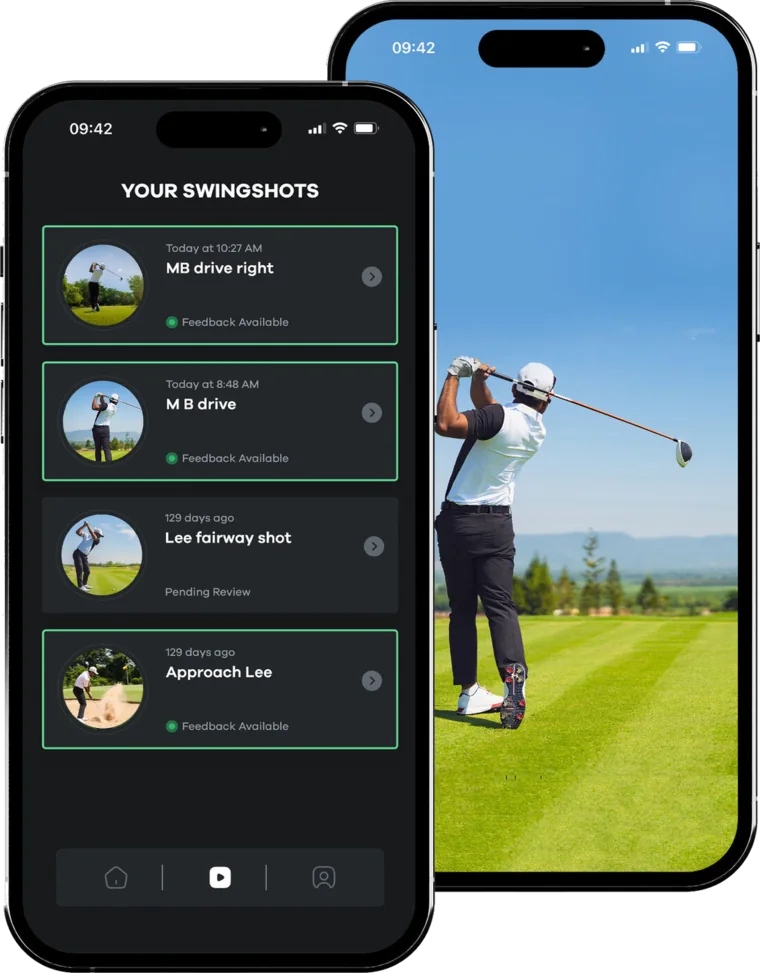
Cloud swing library
Every SwingShot and its feedback, saved in the app. Re-watch it at the range, on the couch, or before your next round. - 02
Your swing history, kept
Every SwingShot stays in your library while you subscribe, so you and your PGA Instructor can look back at where you started and what you've worked on.
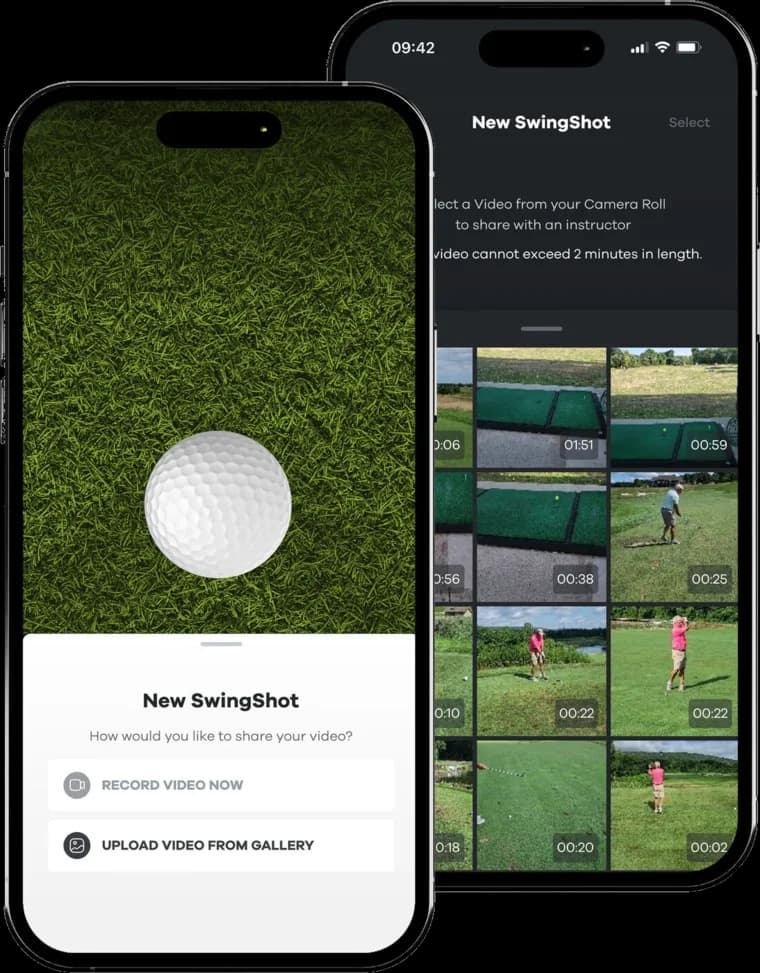
Note 03How it fits your routine
Built for how golfers actually use their phones
- 01
Film anywhere
The range, a simulator bay, a net in the backyard, or the course. Your phone is the only equipment. - 02
Back within hours
Feedback lands in your library within hours of upload. Film after a morning round, work on it before the next one.
Note 04What's not in here, and why
Four things we deliberately don't do.
We aren't trying to be Strava for golf. We're trying to give you the feedback you'd get from a Tuesday lesson, without the Tuesday, whether you want to fix your slice or finally take the range to the course.
No AI auto-analysis
No leaderboards or streaks
No social feed
No retention team or cancel calls
Get the app
See it on your own swing.
Download SwingShot and send a swing. A PGA Instructor talks you through the fix within hours.